

If you own or manage a small business in Missouri, choosing an IT support provider feels a bit like choosing a mechanic. Most people only realize they picked the wrong one after something breaks.
By then, it is too late.
Between rising cyber threats and the real costs of downtime, your IT partner has a direct impact on revenue, staff productivity, and your reputation. Cybercrime is projected to cost the world $10.5 trillion annually by 2025, with ransomware involved in nearly half of all breaches, and the average breach now costing around $4.4 million globally.[1][2] Small businesses are squarely in the crosshairs: recent reports show that a large share of cyberattacks now target SMBs, which often have weaker defenses and limited in‑house IT resources.[3][4]
The good news: you can avoid a lot of pain by asking the right questions before you sign any IT support contract.
Below are seven practical, plain‑English questions Missouri SMBs should ask potential IT support providers, plus what “good” and “bad” answers look like. Use this as a checklist in your vendor interviews so you can pick a partner that actually protects your business instead of just reacting when things break.

Question 1: How Fast Do You Respond — And What Does That Look Like in Real Life?
When your checkout system freezes or your line‑of‑business app crashes, response time is the difference between a minor annoyance and a lost‑revenue disaster.
Ask:
- What are your guaranteed response times for:
- Critical outages (systems down, can’t work)?
- High‑priority issues (email, Wi‑Fi, key apps unstable)?
- Routine tickets (new user setup, printer issues)?
- Are these response times in a written Service Level Agreement (SLA)?
- How do we contact support (phone, portal, email, after‑hours line)?
Green‑flag answers:
- Clear, written SLAs like:
- Critical: 15–30 minute response
- High: 1 hour
- Normal: same business day
- Multiple ways to get help (phone, portal, email) with 24/7 coverage for emergencies
- A ticket system that lets you see status and history
Red‑flag answers:
- “We’re usually pretty quick,” with no numbers or SLA
- Only a single support channel (“Just text me” or one shared email)
- No plan for nights, weekends, or holidays
For Missouri businesses that rely on steady uptime for point‑of‑sale, clinics, city offices, or schools, slow response times translate directly to lost revenue, overtime, and overtime stress.

Question 2: How Will You Protect Us from Cyberattacks and Data Breaches?
Cybersecurity is no longer optional “nice‑to‑have” IT. It is now a survival requirement.
Recent data shows that cybercrime costs are rising worldwide, with ransomware involved in about 44% of breaches and phishing among the top attack vectors.[1] Small businesses are now a favorite target because attackers assume your defenses are weaker.[3][5]
Ask:
- What does your baseline security stack include for every device and user?
- How do you handle:
- Firewalls and network security
- Endpoint protection (antivirus/EDR)
- Patch management and updates
- Multi‑factor authentication (MFA)
- Email security and phishing protection
- Do you provide security awareness training for our staff?
- How do you help us with compliance (HIPAA, FERPA, cyber insurance questionnaires, etc.) if that applies to our industry?
Green‑flag answers:
- A clear, layered security package that typically includes:
- Business‑grade firewall with managed rules and monitoring
- Endpoint security on every workstation and server
- Automated patching for Windows, browsers, and key apps
- Enforced MFA for remote access, email, and admin accounts
- Email filtering, spam/phishing protection, and safe‑link scanning
- Regular user training and phishing simulations
- Ability to help complete cyber insurance and compliance questionnaires
Red‑flag answers:
- “We install antivirus and call it good.”
- Security tools that are optional add‑ons instead of standard
- No mention of MFA, patching, or backups as part of security
If a provider cannot clearly explain how they reduce your risk from ransomware, phishing, and data theft, keep looking.

Question 3: What Is Your Backup and Disaster Recovery Plan for Our Business?
Even strong defenses cannot stop everything. Hardware fails, staff make mistakes, storms knock out power, and attackers sometimes get through. What matters then is how quickly you can get back up and running.
Reports on small business incidents show that many SMBs do not survive a major data loss or extended outage, with a significant percentage closing within months of a severe cyber incident or disaster.[3][6]
Ask:
- How often will you back up our data?
- Where are backups stored? (On‑site, off‑site, cloud, or a mix)
- Do backups include:
- Servers
- Workstations (if needed)
- Microsoft 365 or Google Workspace data
- Line‑of‑business apps and databases
- How often do you test restores?
- In a worst‑case scenario (server failure, ransomware), how long until we’re:
- Up and running again (Recovery Time Objective)?
- Missing only X hours of data (Recovery Point Objective)?
Green‑flag answers:
- Nightly or frequent backups at minimum; often near‑real‑time for critical systems
- 3‑2‑1 strategy (three copies of data, two media types, one off‑site) with cloud backup
- Regular, documented test restores (at least quarterly)
- Clear RTO/RPO targets, such as:
- “We design for a four‑hour recovery time on key servers”
- “We aim to lose no more than one hour of data on critical systems”
Red‑flag answers:
- “We back things up sometimes” with no schedule or testing
- Only on‑site backups (e.g., a single USB drive or NAS in the same building)
- No written recovery plan or time estimates
A provider that treats backups as optional is gambling with your business.

Question 4: What Does Your Pricing Include — and What Surprises Should We Watch For?
IT pricing can be confusing on purpose. You want predictable, flat‑rate costs that you can plan for, not surprise invoices every time someone calls the help desk.
Ask:
- Do you offer a flat monthly rate per user, per device, or per site?
- What exactly is included in that rate?
- Help desk support
- On‑site visits
- After‑hours emergencies
- Security tools
- Backup and recovery
- What is not included?
- How do you handle projects (e.g., new server, cloud migration, office move)?
Green‑flag answers:
- Simple, transparent pricing aligned with your size:
- “Per user” or “per device” model, easy to forecast
- A written list of what’s included versus what counts as a project
- No surprise fees for normal day‑to‑day support
Red‑flag answers:
- Vague hourly‑only models with no cap (“We just bill as we go”)
- Important protections (like backup or MFA) only available as pricey extras
- Unclear or constantly changing invoices
For Missouri SMBs with tight budgets, IT bills should be as predictable as a utility, not a monthly guessing game.
In practice, Pinpoint Tech would perform a network assessment to identify chokepoints. If we find an overtaxed wireless AP with 40 devices on it, we might install an extra AP and load-balance the connections. Or if the core switch is peaking at 100% utilization every afternoon, we investigate what’s causing the surge (maybe an automatic cloud backup) and mitigate it (reschedule backups or increase the switch’s uplink capacity). By relieving network congestion, you’ll notice a more stable, speedy network even during the busiest times.
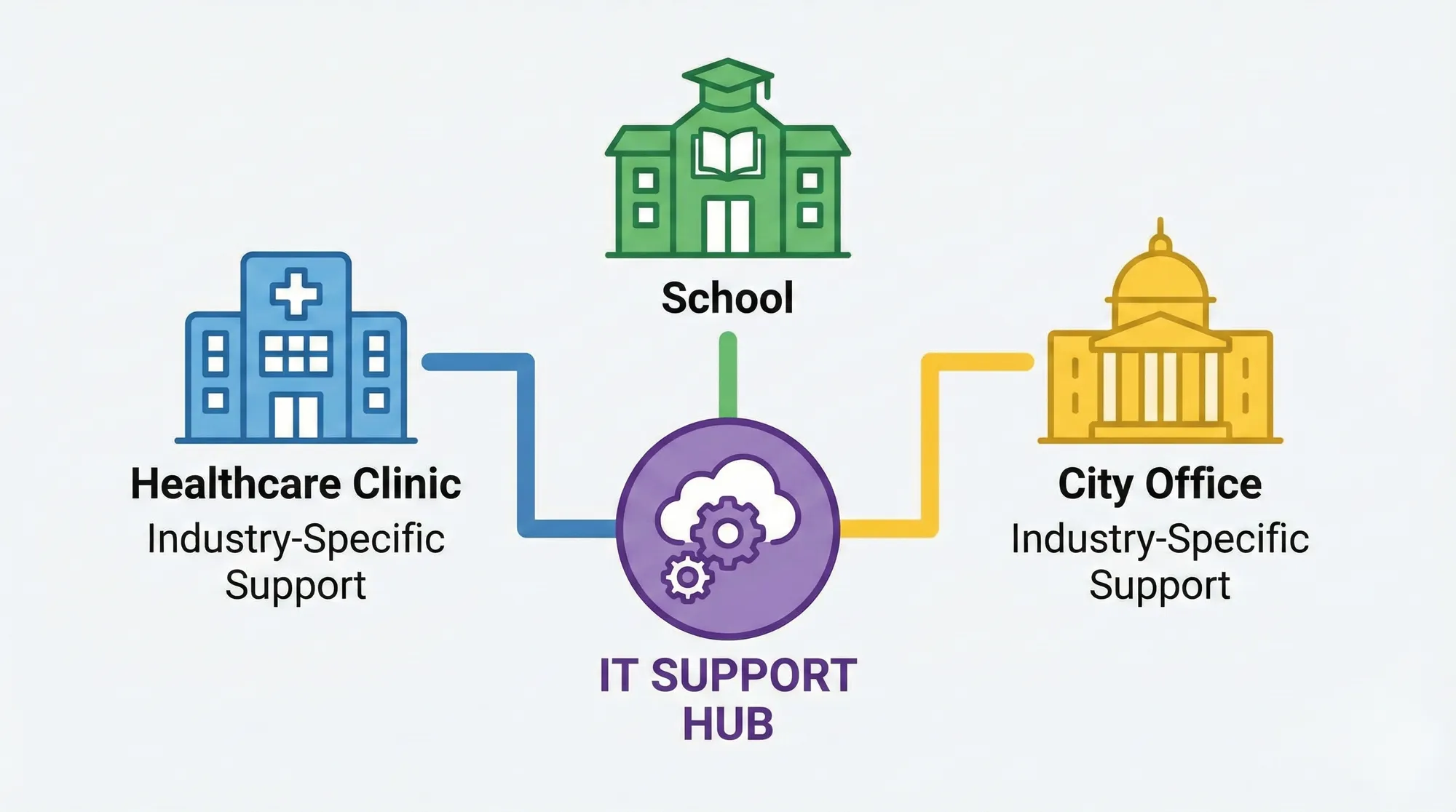
Question 5: Do You Understand Our Industry, Compliance Needs, and Local Reality?
An IT provider that understands local connectivity issues, regional vendors, and your industry’s regulations will solve your problems faster and help you avoid costly mistakes.
Ask:
- Do you work with other businesses like ours? (For example:
- Healthcare practices
- Municipal offices
- Schools
- Retail, manufacturing, or professional services)
- Can you talk through how you have helped similar clients with:
- Compliance (HIPAA, FERPA, PCI, cyber insurance)
- Vendor management (internet providers, software vendors)
- Site‑to‑site connectivity or remote workers
- Are you familiar with connectivity challenges in North‑Central / North‑West Missouri and nearby cities?
Green‑flag answers:
- Real examples (with details anonymized) of:
- Helping a clinic pass a HIPAA‑related IT review
- Supporting a city office through a ransomware scare
- Stabilizing Wi‑Fi and backups for a multi‑site business
- Familiarity with local ISPs and regional quirks (weather, rural connectivity, etc.)
Red‑flag answers:
- “IT is IT — it’s all the same.”
- No clear understanding of your compliance landscape
- No similar clients in size or industry
You do not need the biggest provider in the country. You need one who gets your world.

Question 6: How Will You Help Us Plan Ahead, Not Just Fix What’s Broken?
Break‑fix support (only calling when something is down) may feel cheaper, but it usually leads to more outages, overtime, and last‑minute spending. Industry reports and MSP surveys consistently show that proactive managed IT significantly reduces unplanned downtime and improves planning, often cutting outages dramatically when monitoring and maintenance are in place.[7][8]
Ask:
- Do you provide quarterly or annual IT reviews?
- Will we have a designated account manager or vCIO (virtual CIO) to:
- Align IT with our business goals
- Plan hardware refresh cycles
- Review security posture and risk
- Discuss new projects (cloud, new locations, etc.)?
- Do you provide a written IT roadmap or “health check” each year?
Green‑flag answers:
- Regular strategy meetings (at least annually, ideally quarterly)
- Clear reports on:
- Asset age and warranty status
- Security gaps and recommendations
- Budget forecast for the next 12–24 months
- Practical guidance on using technology to support growth, not just keep lights on
Red‑flag answers:
- “We’re here when you need us,” with no scheduled reviews
- No documentation of your IT environment or plans
- No interest in your business goals
Your IT provider should feel like a long‑term partner, not a one‑time repair shop.

Question 7: What Does Onboarding Look Like in the First 60–90 Days?
Many businesses switch IT providers because they are unhappy, only to get stuck during a messy, confusing transition. A solid onboarding process avoids that.
Ask:
- What steps do you take in the first 30, 60, and 90 days?
- Do you conduct a full network assessment before taking over?
- How do you:
- Document our systems and passwords securely
- Deploy your tools (remote monitoring, antivirus, backup agents)
- Communicate with our staff about how to get help
- How do you handle hand‑off from our old IT provider?
Green‑flag answers:
- A simple, written onboarding plan that includes:
- Discovery and documentation
- Tool deployment
- Quick wins (stabilizing Wi‑Fi, backups, or a noisy pain point)
- Staff training on how to use the help desk
- Clear timelines, owner roles, and expectations
Red‑flag answers:
- “We’ll just jump in and see what’s going on.”
- No mention of documentation or password management
- No orientation for your staff
A thoughtful onboarding process is your first proof that the provider is organized, proactive, and serious about your success.
Bringing It All Together: A Simple Checklist for Your Next IT Conversation
When you interview potential IT support providers, use these seven questions as your roadmap:
- How fast do you respond, and is it in writing?
- How will you protect us from cyberattacks and data loss?
- What is your backup and disaster recovery plan for our environment?
- How is your pricing structured, and what does it really include?
- Do you understand our industry, compliance needs, and local Missouri realities?
- How will you help us plan ahead, not just fix what is broken?
- What does onboarding look like in the first 60–90 days?
Take notes, compare answers, and notice how each provider communicates. The right partner will make complex topics feel understandable, give you specifics instead of vague promises, and focus on building a long‑term, predictable relationship.
If you are a Missouri small business owner, clinic, city office, or local organization that wants friendly, plain‑English IT help, this set of questions will help you separate “good enough” from the partner you actually trust with your business.

FAQs
Why can’t we just call an IT person when something breaks?
You can, but it is risky. Break‑fix IT means you only get help after an outage. That often leads to:
- Longer downtime while technicians figure things out
- Higher emergency invoices
- No ongoing maintenance, making future problems more likely
Proactive managed IT uses monitoring, patching, and planning to prevent many incidents before they ever affect staff, and to get you back online faster when something does go wrong.[7]
Are small businesses in Missouri really targets for cyberattacks?
Yes. Attackers care more about easy money than company size. Multiple reports show that a large portion of cyberattacks now hit small businesses, with incident rates rising year over year as criminals focus on organizations with limited defenses and no full‑time IT staff.[3][4][6] Rural and small‑town businesses, clinics, and city offices are often attractive targets because they rely on sensitive data but may not have enterprise‑grade protection.
What should a basic IT support package include for a small business?
At minimum, look for:
- A help desk with guaranteed response times
- Managed antivirus/endpoint protection
- A managed firewall and secure remote access
- Automated patching and updates
- Reliable, tested backups
- Multi‑factor authentication (MFA)
- Email security and phishing protection
- Regular reporting and at least annual reviews
These are now table‑stakes for modern IT environments, not “nice extras.”[9][10]
How often should our IT provider review our systems and security?
At least:
- Quarterly: Light health check (backups, patches, new devices, incidents, and user issues)
- Annually: A deeper IT and security assessment, including:
- Asset inventory and lifecycle planning
- Security gaps and risk assessment
- Budget roadmap for the next 12–24 months
If you handle sensitive or regulated data, annual reviews and periodic third‑party assessments are especially important.[2][11]
What are warning signs that it is time to switch IT providers?
Some common red flags:
- Recurring outages or slowdowns with no long‑term fix
- Tickets that disappear or drag on for days
- No written security plan or clear backup strategy
- Vague or surprising invoices
- No regular reviews or roadmap conversations
- A single overworked “IT person” who is hard to reach
If you recognize several of these, it is worth interviewing alternative providers using the seven questions in this article.